Trading P&L Calendar for serious traders. Track your daily, weekly and monthly trading performance, identify winning and losing streaks, and spot patterns that improve your consistency.

-opt-1920.WEBP)
Daily P&L Track your daily profit and loss, trade count and performance to instantly identify your best and worst trading days.
Weekly Performance Review your weekly trading results to measure consistency, analyze performance trends and identify recurring patterns.
Monthly P&L Calendar Visualize your monthly trading performance in a calendar view to monitor progress, profitability and long-term consistency.
Winning & Losing Streaks Color-coded trading days make it easy to spot winning streaks, losing streaks and behavioral patterns that impact your results.
Yearly P&L Calendar to really understand how your trading year is performing, because sometimes you have to zoom out to understand your results.

-opt-1920.WEBP)
Yearly Overview See your entire trading year in one view to track monthly profitability, trading consistency, winning months and overall performance trends.
Long-Term Performance Analysis Identify seasonal patterns, recurring trading behaviors and long-term performance trends that are impossible to spot from individual trades or single months.
Why Do Traders Use a Trading P&L Calendar?
Track Your Trading Performance Monitor your daily, weekly and monthly trading performance in one place to understand how your results evolve over time.
Analyze Your Profit & Loss Break down your daily, monthly and yearly profit and loss instead of only looking at your account balance.
Improve Trading Consistency Review your trading calendar regularly to identify recurring mistakes, reinforce good habits and become a more consistent trader.
Daily Performance Click on a day of the monthly calendar to see its trades and performance. Easy to use and intuitive, simplifying your trading journey.

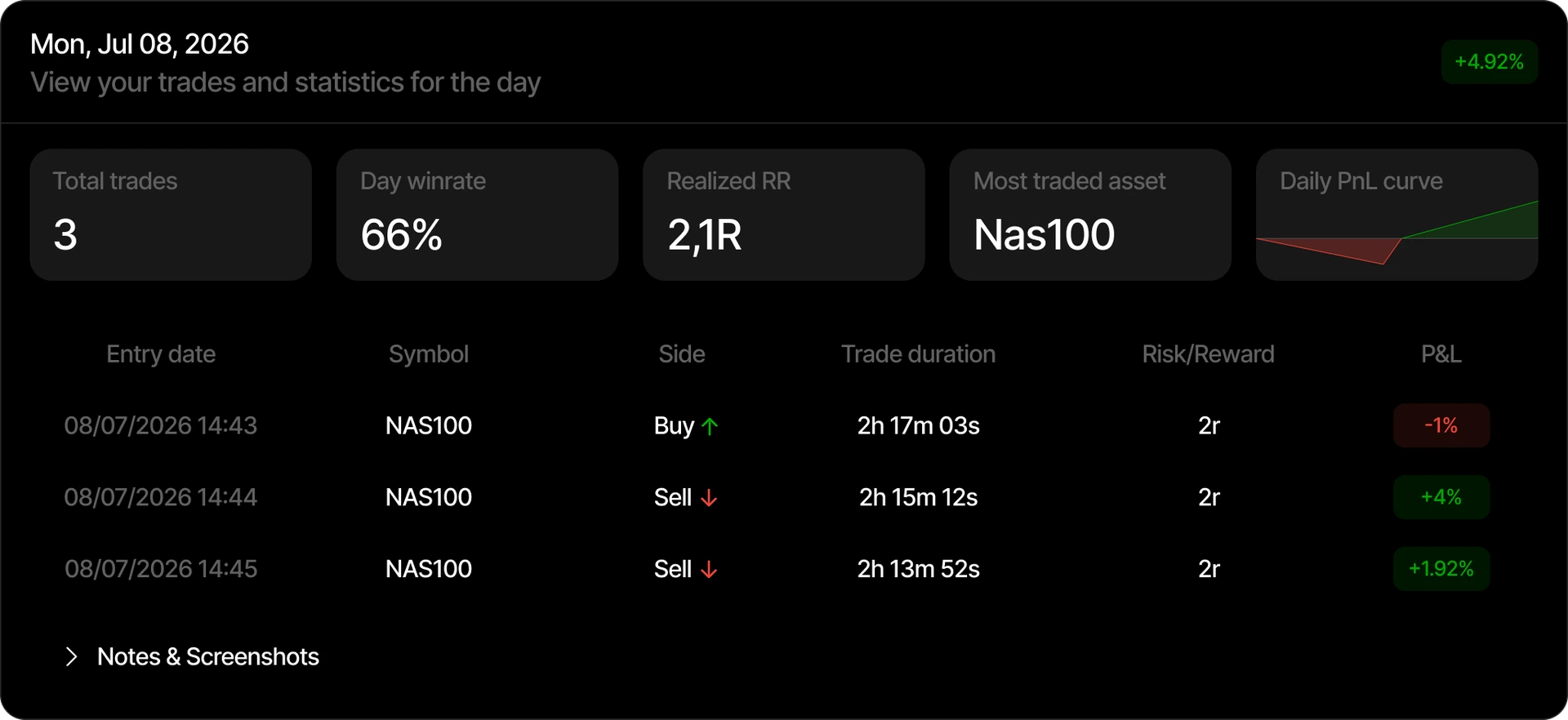
Notes & Screenshots Add notes and photos to any trading day so you can journal what happened, why you took the trade and how you felt in the moment.
Simple & Minimal A clean daily view with no clutter or overcomplications, just the trades and stats you need to understand your day.
Why Tradespad is the best P&L Calendar See why serious traders choose a dedicated P&L calendar over generic tools.
PnL View Mode Switch between money, percentage, realized RR or private views to see your calendar the way you need.
-opt-1920.WEBP)
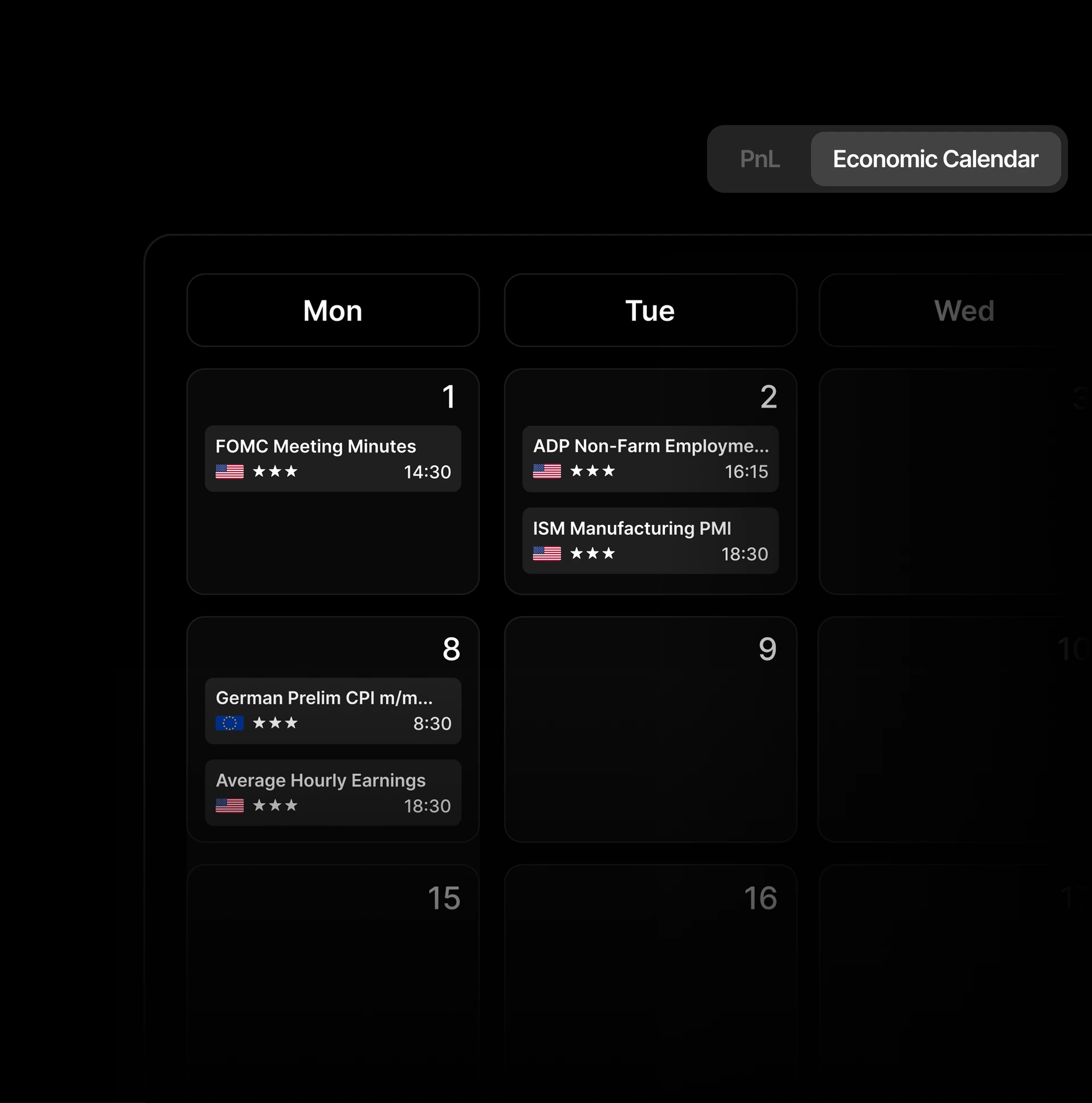
Economic Calendar Select Economic Calendar in the switch and the calendar shows market news with your custom filters instead of P&L.
Frequently Asked Questions Everything you need to know about the Tradespad P&L calendar.
A trading P&L calendar (also called a profit and loss calendar or PnL calendar) displays your trading results in a calendar format. Instead of only seeing a final account balance, you can track daily wins and losses, weekly consistency, monthly profitability and long-term patterns in one place.
Yes. Tradespad offers a free P&L calendar so you can start tracking your profit and loss without paying upfront. Sign up free, sync or import your trades, and use the PnL calendar to review performance day by day.
Yes. A strong PnL calendar should cover more than a single month. Tradespad’s P&L calendar supports daily performance, weekly reviews, monthly overviews and a yearly view so you can zoom out and understand how your trading year is performing.
Your account balance is one final number. A free P&L calendar breaks results into days, weeks and months, so you can see which sessions drive profits, where losses cluster and how consistent you really are. That breakdown is essential for improving trading performance over time.
Yes. Tradespad connects to MetaTrader 5 so your trades sync into the P&L calendar automatically. Connect your MT5 account, and daily, weekly, monthly and yearly performance updates without manual spreadsheet entry.
Yes. A trading P&L calendar works for futures the same way it works for other markets: each day's profit and loss appears on the calendar so you can review streaks, consistency and long-term results. Tradespad supports futures traders with auto-sync from platforms like Tradovate and a clear daily performance view.
Yes. You can add multiple trading accounts in Tradespad and review performance across them. That helps if you trade prop firm accounts, broker accounts or strategies side by side and still want one P&L calendar workflow.
Looking for the best free P&L calendar? Track your profit and loss with Tradespad's PnL calendar. See daily, weekly, monthly and yearly performance in one place, and start for free.