Buyer's guide · Updated October 2026
Best 8 trading journals in 2026. A practical comparison of trading journal software: features, free plans, analytics, backtesting, and who each tool is actually for.
Trading journals have evolved from simple trade logs into software for recording, analyzing, reviewing, and testing trading strategies. The right journal depends on what you trade, how you import trades, how deeply you analyze performance, and whether you need features such as backtesting or AI Coach.
Last updated
Oct 11, 2026
Platforms reviewed
8 journals
Pricing checked
Oct 11, 2026
Methodology
Public docs & pricing
Platforms reviewed:








We build Tradespad, so we have a commercial interest in this comparison. However, the comparisons and data shown here are public and objective, not opinions. Most classifications are based on facts and claims from the listed software vendors themselves.
What is a trading journal?
A trading journal records what you traded and why: entries, exits, size, P&L, notes, screenshots, tags, and risk context. The goal is not more screenshots. It is a repeatable review habit so you can see patterns in execution and behavior.
A basic trade log is a list of fills. A modern trading journal adds automatic imports, strategy tags, account management, performance analytics, and structured pre/post-trade review. Spreadsheets can start the habit; dedicated software reduces maintenance when trade volume or account count grows.
Advanced platforms also add backtesting, trade replay, AI summaries, or psychology tracking. Journaling does not guarantee better results. It makes your process measurable. Choose tools based on friction, coverage, and the reviews you will actually complete.
Quick comparison
Snapshot of popular trading journals by price, free plan, sync, analytics, and backtesting.
Pricing and features checked: October 11, 2026
| Trading journal | Best for | Starting price | Free plan | Auto-sync | Analytics | Backtesting | UI Design |
|---|---|---|---|---|---|---|---|
| Tradespad | Journal + TradingView backtesting | From $0 | Yes | Yes (+650 brokers) | Yes | With TradingView charts from $0 | Clean and minimalist interface |
| TradeZella | All-in-one suite + AI | From $35/mo | No | Yes (500+ brokers) | Yes | Yes (From $29/month) | Clean but a bit too dense |
| TraderSync | Broker breadth + AI coaching | From $29.95/mo | No | Yes (+400 brokers) | Yes | Limited / paid focus | Feels dense and outdated |
| TradesViz | Dense analytics on a budget | From $0 | Yes | Yes (+250 brokers) | Yes | Simulators (paid) | Super dense |
| Tradervue | Stocks/ETFs habit + reports | From $0 | Yes | Yes (+80 brokers) | Yes | Not a focus | Clean and easy to understand |
| Edgewonk | Psychology + custom stats | About $197/year | No | Yes (+200 brokers) | Yes | Not a focus | Clean and easy to understand |
| Trademetria | Import + reporting | From $19.95/mo | Yes | Yes (+20 brokers) | Yes | Limited | Clean but a bit outdated |
| StonkJournal | Spreadsheet alternative | From $0 | Yes | No | Yes | No | Dense and outdated |
Pricing and feature availability can change. Verify current pricing on each provider's website before purchasing.
Best trading journal by use case
Category picks, not a single overall ranking. Match the label to your workflow, then read the full profile below.
Best for all-around journaling
Tradespad
Clean daily review, analytics, accounts, and chart backtesting in one path, with a real free plan.
Best for futures/forex traders
Tradespad or TradeZella
Best for platforms like Tradovate, MetaTrader, TradeLocker, and more. Choose Tradespad if you prioritize a clean UI and free plan, or TradeZella if you prioritize AI.
Best for prop firm traders
Tradespad or TradeZella
Tradespad fits cleaner multi-account journaling and prop firm account stacking at a lower entry price; TradeZella has a dedicated prop firm feature where you can track expenses.
Best free trading journal
Tradespad or StonkJournal
Tradespad adds TradingView Charts backtesting on free; StonkJournal is stronger if you want unlimited manual journaling with no backtesting.
Best for advanced analytics
TradesViz or TraderSync
TradesViz for dense stats on a free/low-cost tier; TraderSync for suite-depth reports plus AI coaching.
Best for psychology tracking
Edgewonk
Built around behavioral stats, custom metrics, and discipline tracking. Only annual billing available*
Best for backtesting
Tradespad
Very well integrated backtesting on TradingView charts, with in-chart journaling, draggable positions, and more, and it's included in the free plan.
Best for stock traders
Tradervue or TradesViz
Tradervue for stocks/ETFs journaling and reports; TradesViz if you want denser analytics on a free or low-cost plan.
Best for simple trade logging
StonkJournal
Free and simple to use, easy to get used to, but maybe too basic for serious traders.
The best trading journals in 2026
We included 8 actively maintained platforms with meaningful journaling functionality. Focus: trade capture/import, analytics, strategy tracking, pricing, markets/platforms, and advanced tools such as backtesting or replay.
1.Tradespad: Best if journaling or backtesting is your priority
Best for journaling + TradingView Charts backtesting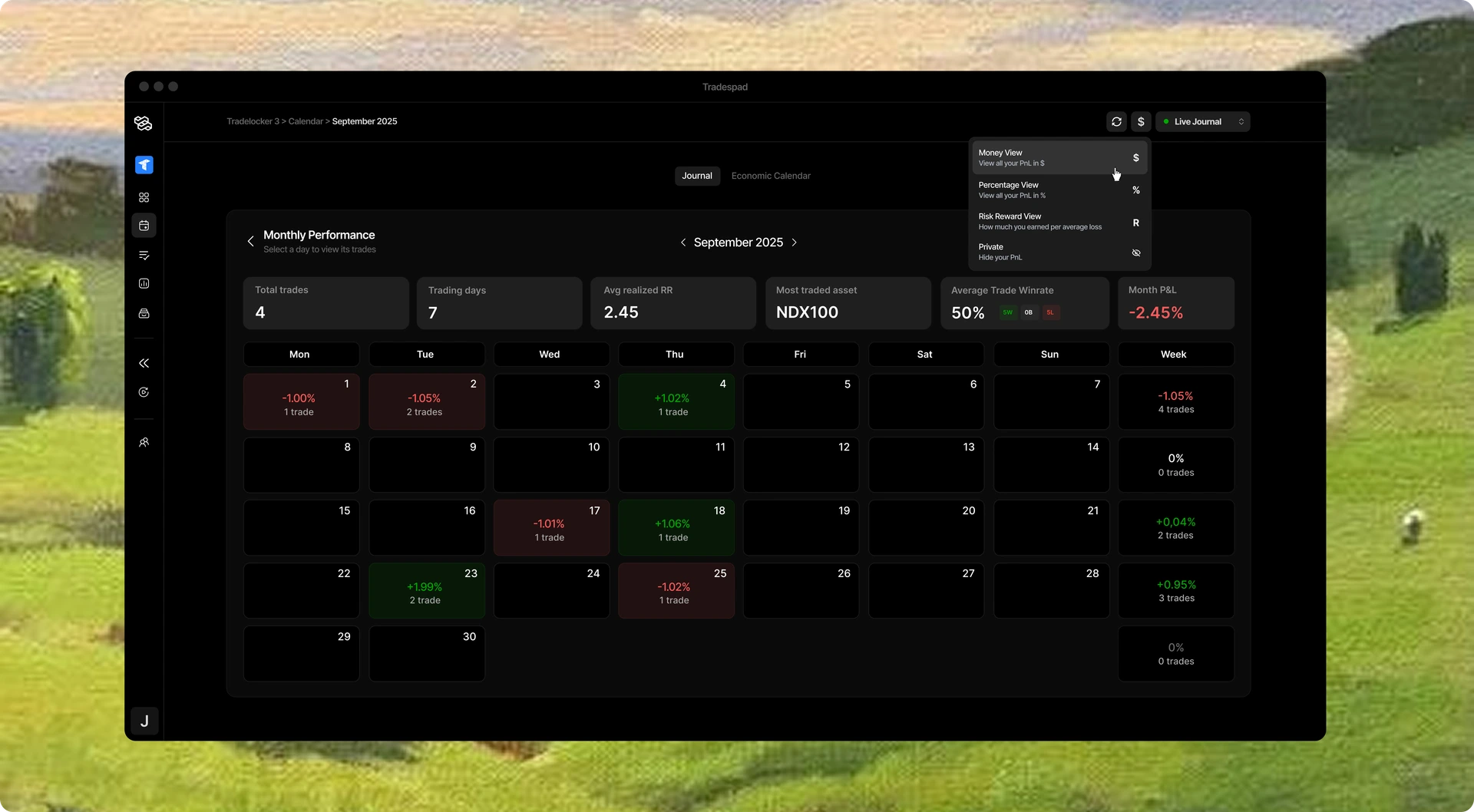
Tradespad combines trade journaling, performance analytics, account tracking, broker/platform integrations, and TradingView Charts backtesting in one workflow. It is designed for traders who want to record live trades and use the same platform to review performance and test strategies, without buying a dense AI suite on day one.
- Starting price
- From $0
- Free plan
- Yes
- Auto-sync
- +650 brokers
- Markets
- Multi-asset
- Backtesting
- TradingView charts
- Learning curve
- Easy
- Mobile App
- App available soon
- Best suited for
- Daily journal + chart practice
Strengths
- Real free forever plan with usable journaling and limited backtesting
- Clean daily review UI that stays light after the session
- TradingView Charts backtesting next to the journal
- Multi-account organization and core analytics without suite bloat
Limitations
- Newer product with less historical brand recognition than Tradervue/TradeZella
- Free plan caps accounts and auto-sync by design
- Not the densest AI/report suite if you want every panel at once
Free $0 · Basic from about $19/mo · Pro from about $29/mo (confirm live pricing).
Consider Tradespad if you want a journal you'll open every day, plus chart backtesting at the cheapest price. Consider another option if you need a denser AI suite, you mainly trade stocks, or you're a quant.
2.TradeZella: Best for all-in-one suite depth
Best for suite + AI + prop sync breadth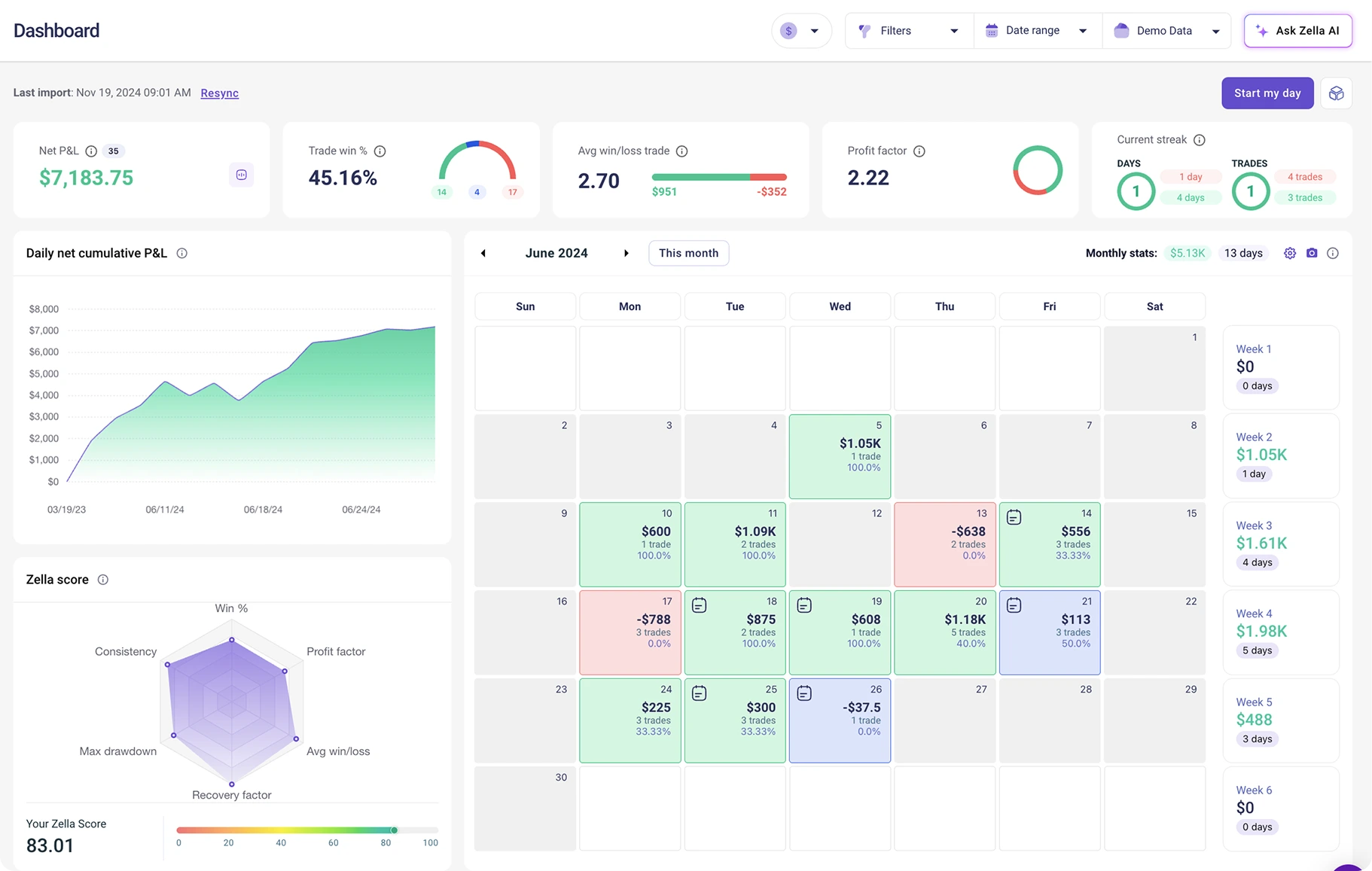
TradeZella is an all-in-one trading suite with broad imports, dense analytics, trade replay, backtesting, AI tools, and more. It fits traders who want one subscription covering a lot of advanced tools and can justify $35 to $100 a month.
- Starting price
- From ~$35/mo
- Free plan
- No
- Auto-sync
- +500 brokers
- Markets
- Multi-asset
- Backtesting
- Manual + automated
- Learning curve
- Medium
- Mobile App
- Yes
- Best suited for
- Suite buyers
Strengths
- Large list of broker integrations
- Deep reports, replay, and AI agents on higher tiers
- Manual and automated backtesting options by plan
Limitations
- No permanent free plan
- Higher monthly cost if you only need a journal/backtesting software
- Denser UI with a steeper learning curve
Essential ~$35/mo, Pro ~$59/mo, Ultra ~$99/mo. Confirm on TradeZella.
Choose TradeZella when the full suite is the product. Skip it if price and simplicity matter more than feature breadth.
3.TraderSync: Best for premium analytics breadth
Best for broker breadth + coaching stack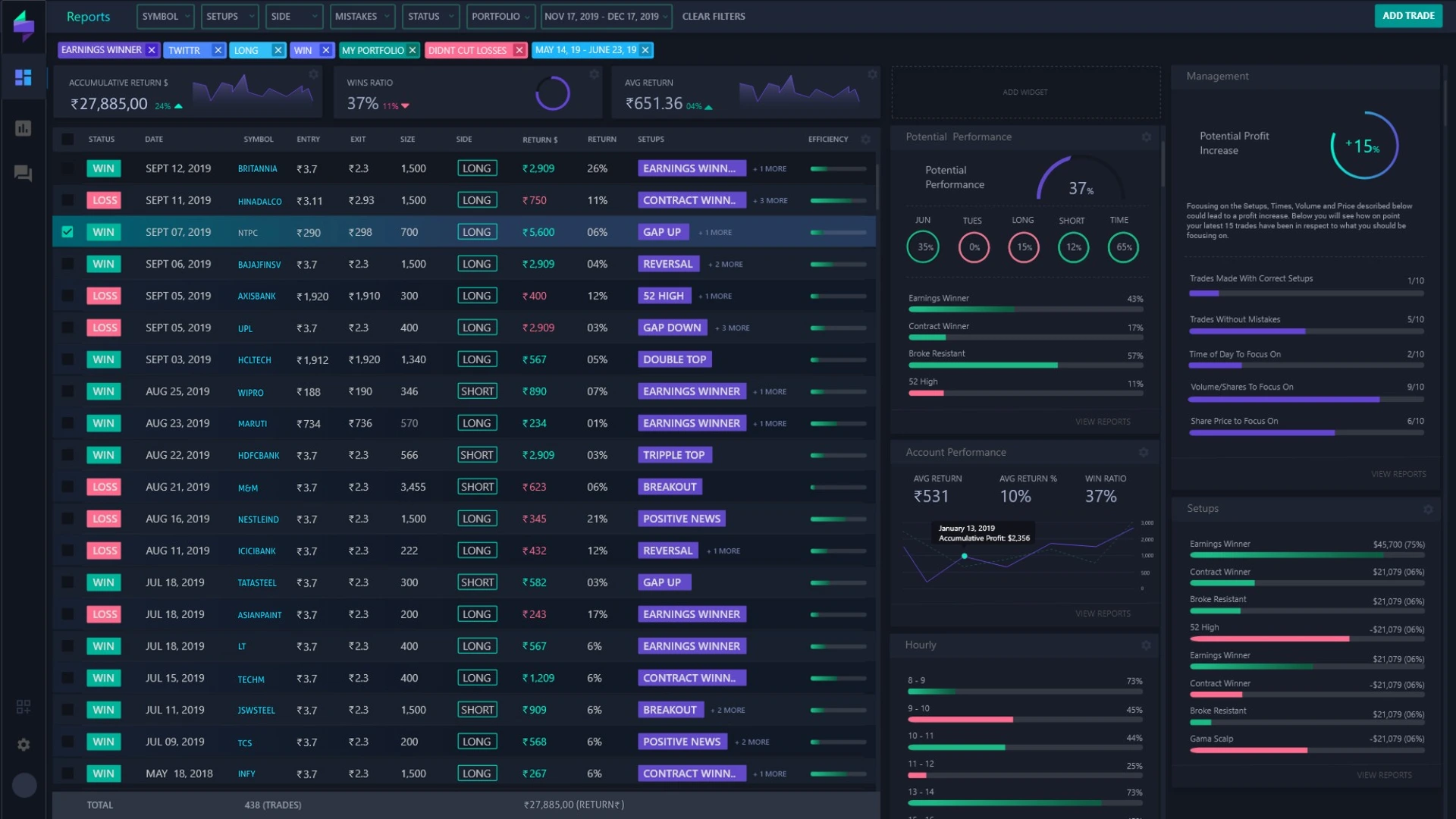
TraderSync targets traders who want wide import coverage, dense analytics, and AI coaching on higher plans. There is no permanent free plan. Evaluation usually starts with a short trial.
- Starting price
- From ~$29.95/mo
- Free plan
- No
- Auto-sync
- +400 brokers
- Markets
- Multi-asset
- Backtesting
- Yes
- Learning curve
- Hard
- Mobile App
- Yes
- Best suited for
- Quant/Advanced traders
Strengths
- Broad broker support
- Deep analytics and coaching features on higher tiers
- Trade replay for session review
Limitations
- No permanent free plan
- Monthly cost climbs quickly on Premium/Elite
- Heavier product than a minimal daily journal
Pro ~$29.95/mo, Premium ~$49.95/mo, Elite ~$79.95/mo (annual discounts vary). Confirm on TraderSync.
Fit if you will pay for import breadth and coaching. Look elsewhere for a forever-free journal habit.
4.TradesViz: Complete platform, but excessively dense
Best free/low-cost analytics depth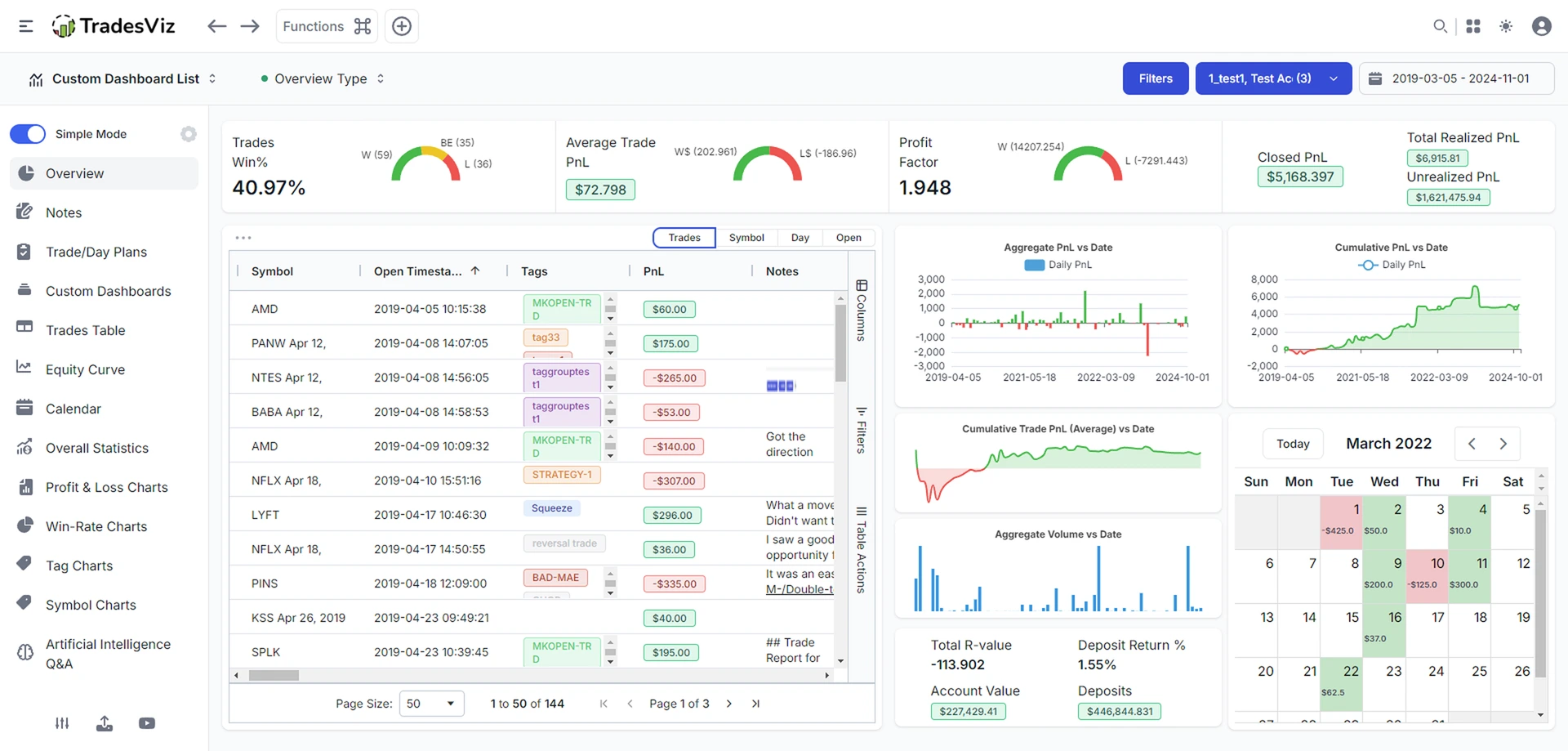
TradesViz is strong when analytics depth matters more than a minimal UI. The free tier is usable for many stock-focused workflows; multi-asset and advanced tools usually mean paid plans.
- Starting price
- From $0
- Free plan
- Yes
- Auto-sync
- +250 brokers
- Markets
- Stocks free focus; multi-asset paid
- Backtesting
- Simulators on paid
- Learning curve
- Hard
- Mobile App
- Web-first
- Best suited for
- Stats-heavy self-serve traders
Strengths
- Real free plan with meaningful analytics
- Very deep custom dashboards and stats
- Competitive paid pricing vs $35-$99 suites
Limitations
- Steeper learning curve and denser UI
- Setup/import friction shows up in public reviews
- Free limits push active multi-asset desks to paid
Free forever · paid plans roughly high-teens to ~$30/mo range depending on tier/billing. Confirm on TradesViz.
Pick TradesViz for analytics density per dollar. Skip if you want the lightest daily journal UI.
5.Tradervue: Best for stocks/ETFs reporting habit
Best familiar stocks journal + reports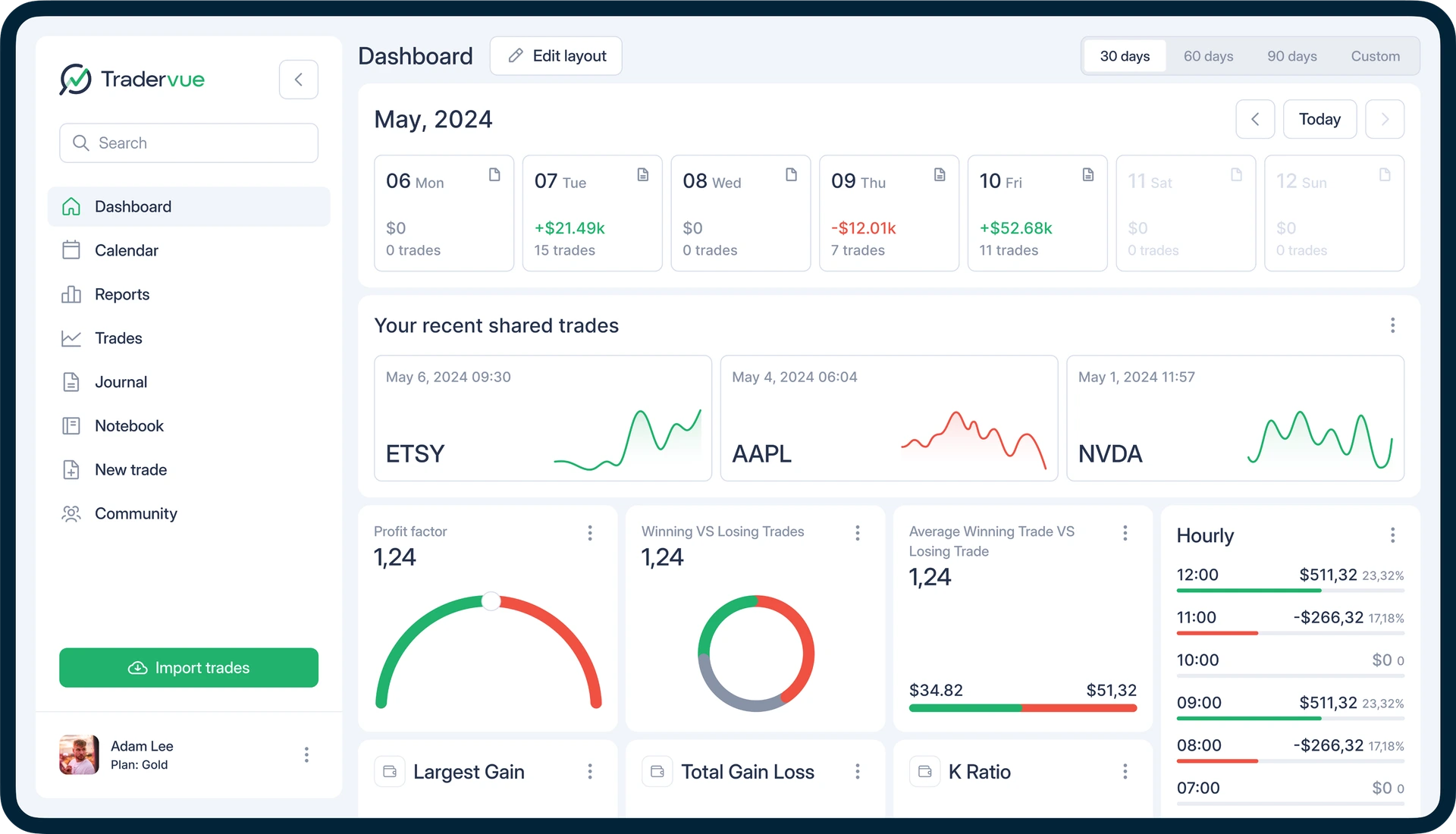
Tradervue is a long-running journal known for clean reports and mentoring workflows. The free plan helps stock/ETF traders start; futures/options/forex usually need paid tiers.
- Starting price
- From $0
- Free plan
- Yes
- Auto-sync
- +80 brokers
- Markets
- Stocks/ETFs free focus
- Backtesting
- No
- Learning curve
- Easy
- Mobile App
- No
- Best suited for
- Stock/ETF reviewers & mentors
Strengths
- Real free plan for stocks/ETFs
- Clean report layouts and mentoring use cases
- Long track record in retail journaling
Limitations
- Free limits and asset coverage constraints
- Paid Silver/Gold feel pricey vs newer journals
- No backtesting, and some customer service complaints
Free limited · Silver ~$29.95/mo · Gold ~$49.95/mo. Confirm on Tradervue.
Good for stocks-focused habits and mentoring. Less ideal if you need modern backtesting or multi-asset free coverage.
6.Edgewonk: Best for psychology and custom stats
Best psychology-first annual journal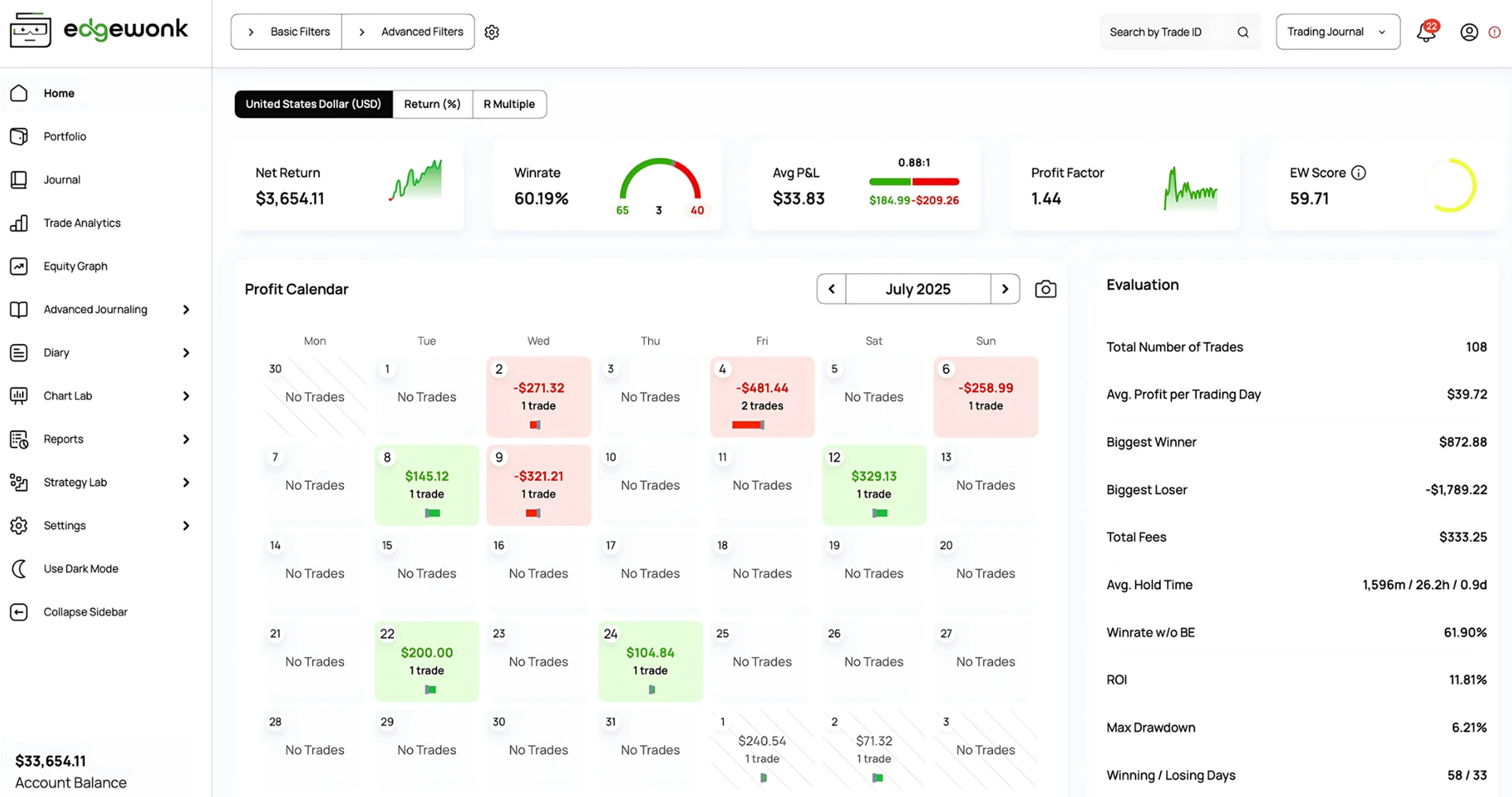
Edgewonk focuses on behavioral tracking, custom statistics, and strategy-level analysis at a flat annual price. It rewards traders who will invest time in tagging and review rather than chasing the widest auto-sync list.
- Starting price
- ~$197/year
- Free plan
- No
- Auto-sync
- +200 brokers
- Markets
- Major assets
- Backtesting
- No
- Learning curve
- Medium
- Mobile App
- No
- Best suited for
- Discipline & edge analysis
Strengths
- Strong psychology and custom metric workflows
- One annual price unlocks the product
- Good fit for deliberate strategy review
Limitations
- No free plan, only annual billing
- Less auto-sync breadth than suite leaders
- Not built around TradingView Charts backtesting
About $197/year. Confirm on Edgewonk.
Choose Edgewonk for psychology depth. Choose another tool if free entry or chart backtesting is mandatory.
7.Trademetria: Best for import-led reporting
Best classic import + reports option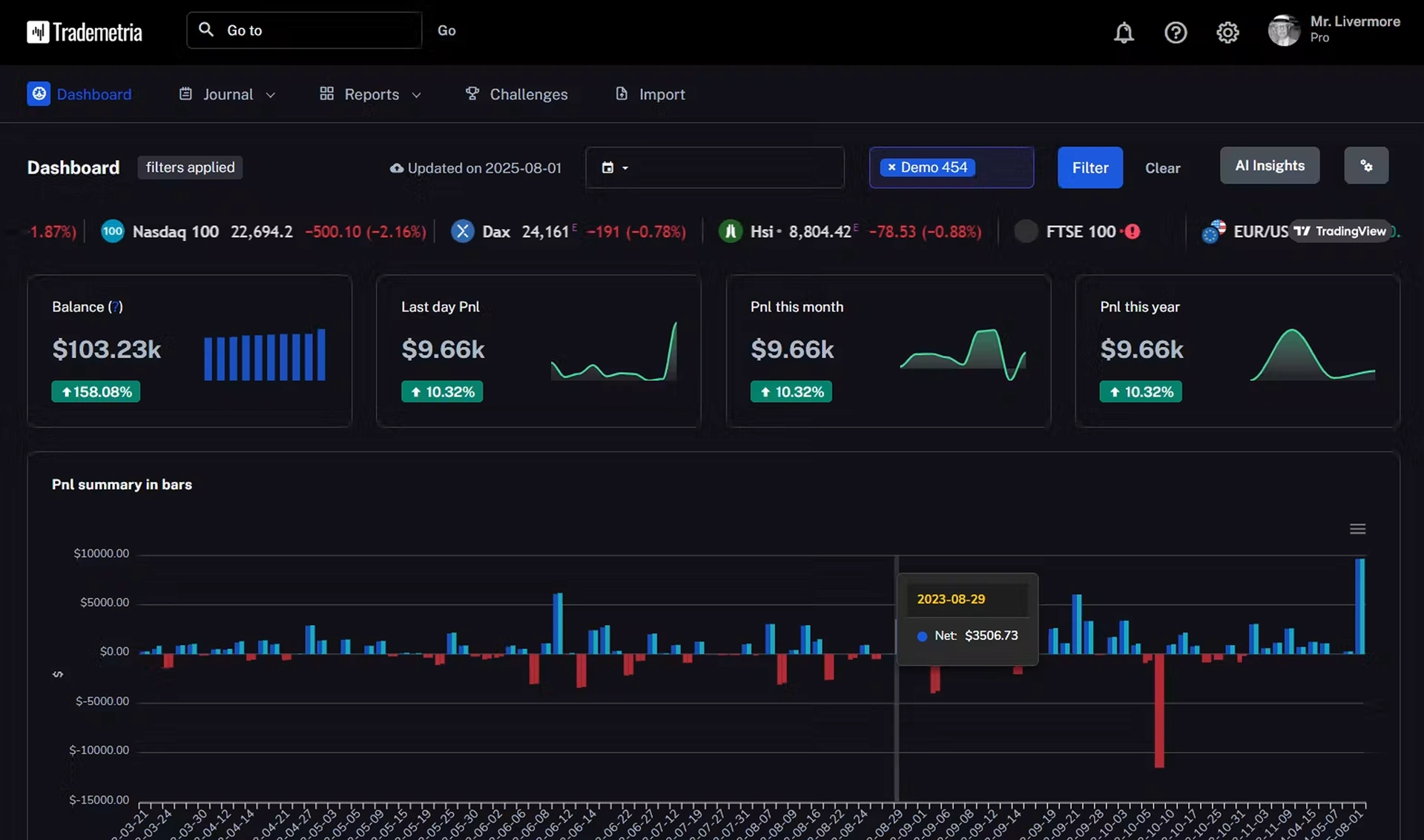
Trademetria is a known import-and-report journal. It can fit traders who want structured reporting without committing to the newest AI suite narrative. Verify current free limits and integrations on the vendor site.
- Starting price
- From ~$19.95/mo
- Free plan
- Yes
- Auto-sync
- +20 brokers
- Markets
- Multi-asset
- Backtesting
- No
- Learning curve
- Medium
- Mobile App
- No
- Best suited for
- Import + report workflows
Strengths
- Long-standing reputation built over many years
- Lower entry than top-tier suites
- Useful if reporting is the main job
Limitations
- No backtesting
- Fewer broker integrations than top competitors
Paid plans from roughly ~$19.95/mo historically. Confirm live on Trademetria.
Consider if imports/reports are enough. Look elsewhere for free forever + chart backtesting.
8.StonkJournal: Best generous free manual journal
Best free unlimited manual journaling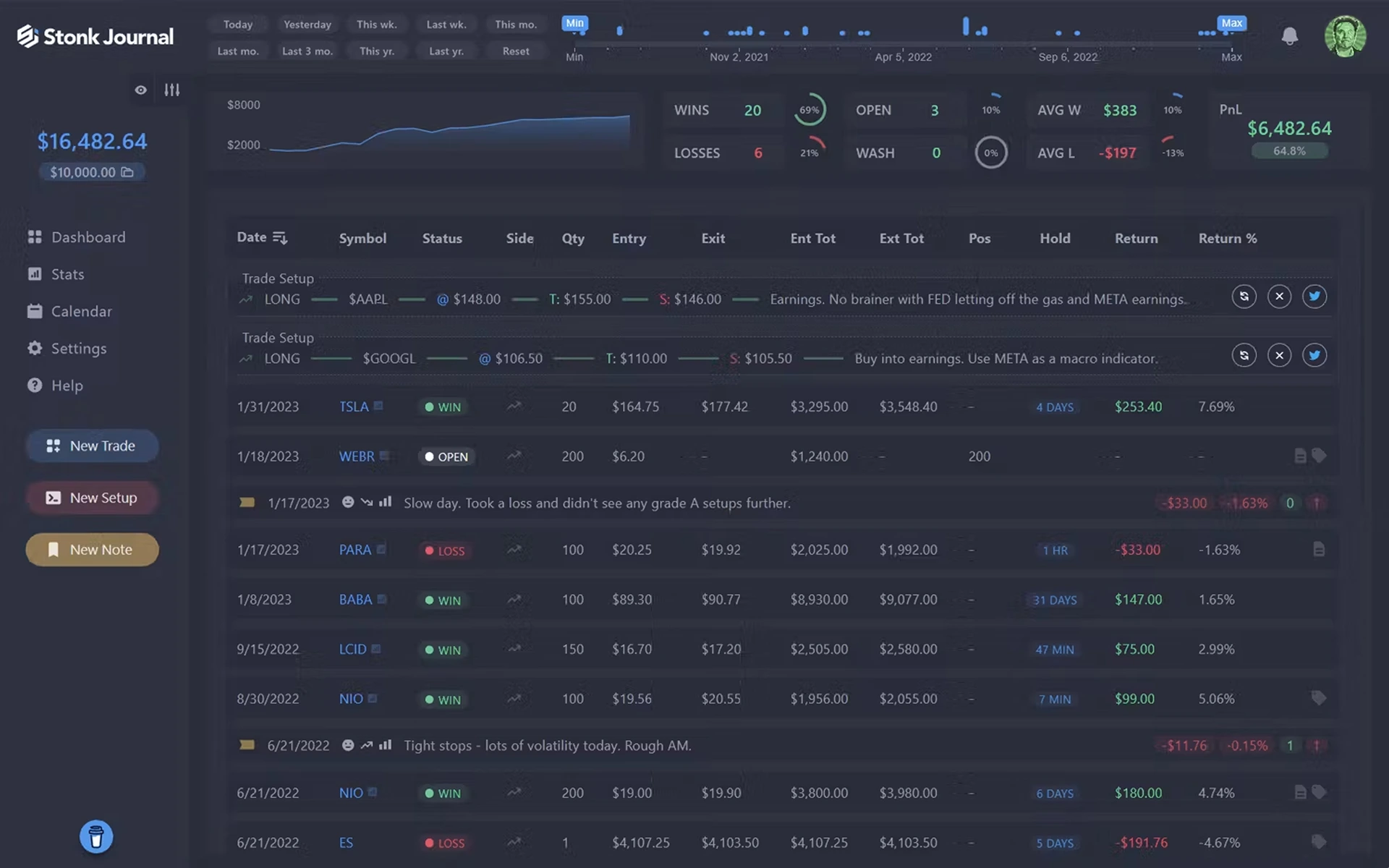
StonkJournal is compelling when you want a genuinely free hosted journal with unlimited manual logging and risk/rules tooling, plus a low-cost Pro tier for CSV and AI coaching. It is not a backtesting platform.
- Starting price
- From $0
- Free plan
- Yes
- Auto-sync
- No
- Markets
- Multi-asset multipliers
- Backtesting
- No
- Learning curve
- Medium
- Mobile App
- No
- Best suited for
- Free journaling + AI coach on Pro
Strengths
- Generous free journaling without trade caps
- Simpler than more expensive journals
- Pro adds CSV import and AI coaching around ~$10/mo
Limitations
- No built-in chart backtesting
- No trade auto-sync option
- Less ideal if TradingView backtesting is required
Free · Pro about $10/mo. Confirm on StonkJournal.
Great free journal habit. Pair elsewhere, or choose Tradespad, if backtesting or auto-sync are useful for you.
What makes a good trading journal?
Use these criteria to evaluate any journal, including ours. Depth without usability still fails.
1. Trade import & broker integrations
Auto-sync, CSV, and manual entry. Friction between taking a trade and recording it decides whether the habit sticks.
2. Performance analytics
P&L, win rate, average win/loss, profit factor, expectancy, drawdown, R-multiples, plus strategy/symbol/time breakdowns.
3. Strategy tracking
Setups, tags, strategy stats, and the ability to compare playbooks without rebuilding filters every week.
4. Risk management
Risk per trade, daily loss, drawdown, position size, and R:R consistency, visible at account and strategy level.
5. Trade review
Notes, screenshots, charts, annotations, and a clear pre-trade vs post-trade review loop.
6. Backtesting
Historical charts or automated tests so you can evaluate ideas before risking capital, and compare live vs expected results.
7. Trade replay
Replay reconstructs how a trade unfolded in market context. It is not the same as backtesting a strategy on history.
8. Psychology & behavior
Emotions, confidence, discipline tags, and links between behavior and outcomes.
9. Account & portfolio management
Multiple accounts, funded/prop accounts, archives, and account-level analytics.
10. Asset & platform coverage
Stocks, options, futures, forex, crypto, and platforms like MT5, cTrader, Tradovate, NinjaTrader, or TradingView where relevant.
11. Ease of use
A powerful journal fails if logging or reviewing is too slow after a live session. Accessibility also counts, like having a mobile app to review results from your phone.
12. Price-to-value
Judge what you get at each tier, not only the headline monthly price.
Trading journal feature comparison
Text values only. Split into smaller tables for readability. Confirm live plan limits before purchasing.
Pricing & access
| Feature | Tradespad | TradeZella | TraderSync | TradesViz | Tradervue |
|---|---|---|---|---|---|
| Starting price | From $0 | From ~$35/mo | From ~$29.95/mo | From $0 | From $0 |
| Free plan | Yes | No | No | Yes | Yes (limited) |
| Annual option | Yes | Yes | Yes | Yes | Often monthly focus |
Trade capture
| Feature | Tradespad | TradeZella | TraderSync | TradesViz | Tradervue |
|---|---|---|---|---|---|
| Manual entry | Yes | Yes | Yes | Yes | Yes |
| CSV import | Yes | Yes | Yes | Yes | Yes |
| Automatic broker sync | +650 brokers | +500 brokers | +400 brokers | +250 brokers | +80 brokers |
Journaling & Analytics
| Feature | Tradespad | TradeZella | TraderSync | TradesViz | Tradervue |
|---|---|---|---|---|---|
| Trade notes | Yes | Yes | Yes | Yes | Yes |
| Strategy Checklist | Yes | Yes | Yes | Yes | Limited |
| Screenshots | Yes | Yes | Yes | Yes | Yes |
| P&L Calendar | Yes | Yes | Yes | Yes | Yes |
| TradingView Entry/Exit | Yes | Yes | Yes | Yes | Yes |
| Trade Replay | Yes | Yes | Yes | No | No |
| Filtered analytics | Yes | Yes | Yes | Yes | Yes |
Backtesting
| Feature | Tradespad | TradeZella | TraderSync | TradesViz | Tradervue |
|---|---|---|---|---|---|
| Backtesting available | Yes | Yes | Yes | Yes | No |
| TradingView charts | Yes | Yes | Yes | No | No |
| Manual backtesting | Yes | Yes | Yes | Simulators (paid) | No |
| Automated backtesting | No | Yes | No | No | No |
| Included on free plan | Yes | No | No | No | No |
| Prop firm simulator | Yes | Yes | No | No | No |
Trading journal vs Excel or Google Sheets
Spreadsheets are flexible and free. Dedicated journals win on automation, analytics, and multi-account maintenance as volume grows.
| Capability | Spreadsheet | Dedicated trading journal |
|---|---|---|
| Setup time | Yes | No |
| Manual trade entry | Yes | Yes |
| Automatic imports | No | Often yes |
| Automatic analytics | No | Built-in |
| Strategy filtering | No | Built-in |
| Screenshots | Usually no | Yes |
| Multiple accounts | No | Built-in |
| Backtesting | No | Depends on platform |
| Maintenance | High | Lower |
Sheets can still be right for custom workflows, zero subscription cost, very low trade volume, or builders who enjoy owning the system. Move to software when maintenance costs more time than review.
Benefits of journaling
Why the best trading journals start with a review habit: clearer trade memory, better process feedback, and less guesswork when you compare tools.
- Helps you remember your trades
- Shows which setups, sessions, and risk choices actually drive results
- Surfaces patterns like overtrading, rule breaks, and size mistakes
- Turns review into a habit instead of relying on memory after good or bad days
- Keeps screenshots, notes, and strategy context in one place
- Connects journaling with performance analytics in the same product
How we evaluated these trading journals
We evaluated platforms using publicly documented pricing, product pages, integration docs, and feature documentation. Where possible, claims were checked against the vendor's own site. We did not invent hands-on testing language.
- Journaling functionality
- Trade import / automation
- Analytics depth
- Strategy tracking
- Backtesting / replay
- Asset and platform coverage
- Psychology tools
- Ease of use
- Pricing / value
- Account / prop-firm support
Pricing and feature availability were checked on October 11, 2026. Trading software changes frequently, so verify current pricing and plan limits before purchasing.
Keep exploring
Frequently asked questions. Straight answers for common best-trading-journal searches.
It depends on your market and budget, but Tradespad is a strong default if you want journaling, analytics, and TradingView Charts backtesting in one product, including a free plan. Suites like TradeZella fit if you need denser AI and paid sync. Use the comparison above to confirm the match.
Beginners do best with a real free plan and a simple review loop. Tradespad is built for that: journal trades, add notes and screenshots, and review analytics without paying first. StonkJournal is another solid free option if you only need unlimited manual logging.
Tradespad is the best free trading journal for most traders who want journaling plus TradingView Charts backtesting at $0. StonkJournal, TradesViz, and Tradervue also offer forever-free tiers with different limits. Start on Tradespad free, then compare paid suites only if you outgrow it.
Prioritize futures-aware imports/accounts and drawdown visibility. Tradespad fits clean multi-account futures journaling with chart practice; TradeZella if AI is your priority and you're comfortable paying $35-$100 a month for a full suite.
Prop traders need separate funded-account tracking and clear risk visibility. Tradespad is a strong lighter option for multi-account journaling without suite overload. Other good alternative is TradeZella if AI is your priority and you're comfortable paying $35-$100 a month for a full suite.
Look for MT5/cTrader or broker imports plus session and symbol analytics. Tradespad is a strong pick when you want forex journaling tied to chart practice and review habits. Broader paid suites help if connector coverage is the only filter that matters.
Day traders usually need fast logging, intraday breakdowns, screenshots, and optional replay. Tradespad prioritizes speed plus chart backtesting in the same workflow. Choose denser suites only if you will use paid replay and AI features every week.
Tradespad is the clearest answer for journaling with TradingView Charts backtesting, including on the free plan. TradeZella offers manual and automated backtesting inside paid tiers if you want a heavier all-in-one suite.
Yes, if you will review trades consistently. Start free with Tradespad to build the habit before paying for suite extras. Software is worth the upgrade when imports and analytics save more time than a spreadsheet, and when you actually use those features.
At minimum: entry/exit, size, P&L, setup/tags, risk, and notes. Add screenshots, emotions, and session context as the habit stabilizes. Tradespad is designed around that loop so you can journal and review without building the system yourself.
Yes for low volume and custom workflows. Move to a dedicated trading journal like Tradespad when imports, multi-account tracking, screenshots, or analytics maintenance become the bottleneck.
Journals analyze live trades and behavior. Backtesting evaluates strategies on historical data. Tradespad combines both, so you can practice on charts and journal live results in one path instead of splitting tools.
Many do via broker sync or CSV; free plans often limit auto-sync. Tradespad supports manual journaling plus integrations such as MT5, cTrader, TradeLocker, and Tradovate on applicable plans. Check the live integrations page for your broker.
Yes with the right product. Tradespad emphasizes TradingView chart workflows and supports integrations such as MT5, cTrader, TradeLocker, and Tradovate on applicable plans. Try Tradespad free to see if that stack fits your desk before paying for a denser suite.
Ready to start your journaling path?Journal your trades, analyze performance, connect accounts, and backtest strategies in one platform.
Tradespad publishes this comparison and also offers a trading journal. Tradespad is not affiliated with, endorsed by, or sponsored by the other platforms named here. Features, limits, and pricing can change. Confirm live plans on each site. This is educational, not financial advice.